Literacy and Essential Skills: Why Digital Literacy is Crucial

December 6, 2011

The Guardian recently published an article called “No place in class for digital illiterates“. The article talks about how children who lack technology literacy skills are getting left behind. Writer Gavin Dudeney talks about changing definitions of literacy that now include “digital literacy”  or the ability to use the Internet and interact with digital texts.

As I was writing The Need For Increased Integration of Technology and Digital Skills in the Literacy Field in Canada I found research that suggests that Canada’s 9 Literacy and Essential Skills may be just the beginning. One of the 9 Essential Skills is “Computer Use”. Some researchers are suggesting that this term is too narrow. Today, it is not enough for a person to know how to turn on a computer, manipulate a mouse or use a track pad or write a resume on a word processing program. Digital skills are an important part of computer use.

People need to know how to search for everyday information such as bus schedules, tax information and other important information that is part of every day living. Job seekers need to know how to search for and apply for jobs posted on the Internet and submit their resume through an online application system. More and more job application sites require users to create an account and register with a company or a service. If adults do not know how to do these things, they will fall behind.

Children who do not know how to use touch screens or the Internet may find themselves disadvantaged later on, as they try to catch up with digitally savvy peers. There are some groups and individuals who are opposed to the increased use of technology in schools. Waldorf Schools, a system of private schools with an excellent reputation, reportedly does not use any technology in its elementary grades.

As an educator, I worry about such approaches. Clearly, it works for them because they are a hugely successful network of schools. But I openly confess that I have never worked with a Waldorf school, myself. I’d love to be invited to one to see how they teach and engage with their learners. As a bit of a “tech junkie”, I have to acknowledge my bias in favour of using more technology, rather than less. I worried whether children who do not learn how to use touch screens or the Internet in their school years may find themselves disadvantaged later on, as they try to catch up with digitally savvy peers?

Having said that, I do think it is important to incorporate technology in a meaningful way that shows why we are using it, what purpose it serves and ultimately, how it benefits the learner. It is critical to make these links so that we show how digital skills can help children develop cognitively and socially so that when they grow up, their lives as adults have meaning as they find work that makes them feel that they are making a meaningful contribution to their world. It is a world that we can only dream about right now. As an educator, I ask, how do we best prepare our learners for success in five, ten or twenty years’ time? And what will “literacy and essential skills” look like a decade from now?

________________

Like this post? Share or Tweet it: Literacy and Essential Skills: Why Digital Literacy is Crucial http://wp.me/pNAh3-13W

Update – January 2018 – This blog has had over 1.8 million views thanks to readers like you. If you enjoyed this post, please “like” it or share it on social media. Thanks!

Sarah Elaine Eaton is a faculty member in the Werklund School of Education, University of Calgary, Canada.


Best resources of the week (Nov. 20 to 26, 2011)

December 4, 2011

Here are my favorite resources of the week, curated from my Twitter account.

Social Media

Schools would be wise to adopt Granville district’s social media policies – Newark Advocate

How to hide Twitter #hashtag chats from your followers by Dave Larson

The Rise of the Connected Non-Profit from Mashable

10 Things I Learned On My Twitter Journey To 100,000 Followers by John Paul

How 5 Top Brands Crafted Their Social Media Voices by Lauren Indvik

“Don’t do as I say, do as I do” – the role of leadership in promoting the use of social media by Don Ledingham

7 Secrets Of Highly Effective Twitter Power Users  by Lauren Dugan

10 Steps to Kick Start Your Twitter Network from Edte.ch Blog

Proposed social media policy has this school committee in a huff by Sherilynn Macale

Literacy and Essential Skills

Reading to your kid: even more important than you think – The Globe and Mail

How Canadian contemporary authors inspire youth – Imaginaction

Language Learning and Teaching

Chicago Public Schools teacher Kickstarting ESL program through song by Alyssa Vitale

Scaffolding Academic Learning for Second Language Learners by Karen Sue Bradley & Jack Alden Bradley

E-Learning

Activities for online courses: The Beginning by Nicky Hockly

How To Be a Top Learning Organization by Tiffani Murray

7 Things You Should Know about Google Apps from Educause

For some kids, a book is just an iPad that doesn’t work by Ivor Tossell

62 things you can do with Dropbox from MacWorld

Education Resources

Tools for Teaching: Authentic Assessment from the Centre for Teaching and Educational Technologies, Royal Roads University

Flipped Classroom Full Picture: An Example Lesson by Jackie Gerstein

Google Scholar Citations Now Open to All by Ryan Cordell

Education News

Dyslexia may explain my school failure, says Annabel Heseltine by Julie Henry

Ministers of Education Report to Canadians on Official Languages in Education – Canada Newswire

A School System in Maine Gives iPads to Kindergartners from Voice of America

Alberta education minister welcomes input on overhauling system via social media – Metro News

Year-round school: An idea worth exploring – The Windsor Star

Public Speaking and Presentation Skills

Stop Breaking the Basic Rules of Presenting by Ned Potter

App for Speakers: A presentation timer by Takuya Murakami

Secrets from JFK’s Speechwriter by Peter Temple

Writing

How to Write, Launch and Sell Your Informational Ebook by Alexis Grant

Related posts:

Dr. Sarah’s Favorite Resource of the Week (Nov. 13 to 19, 2011)

____________________________

Share this post: Best resources of the week (Nov. 20 to 26, 2011) http://wp.me/pNAh3-12N

Update – January 2018 – This blog has had over 1.8 million views thanks to readers like you. If you enjoyed this post, please “like” it or share it on social media. Thanks!

Sarah Elaine Eaton is a faculty member in the Werklund School of Education, University of Calgary, Canada.


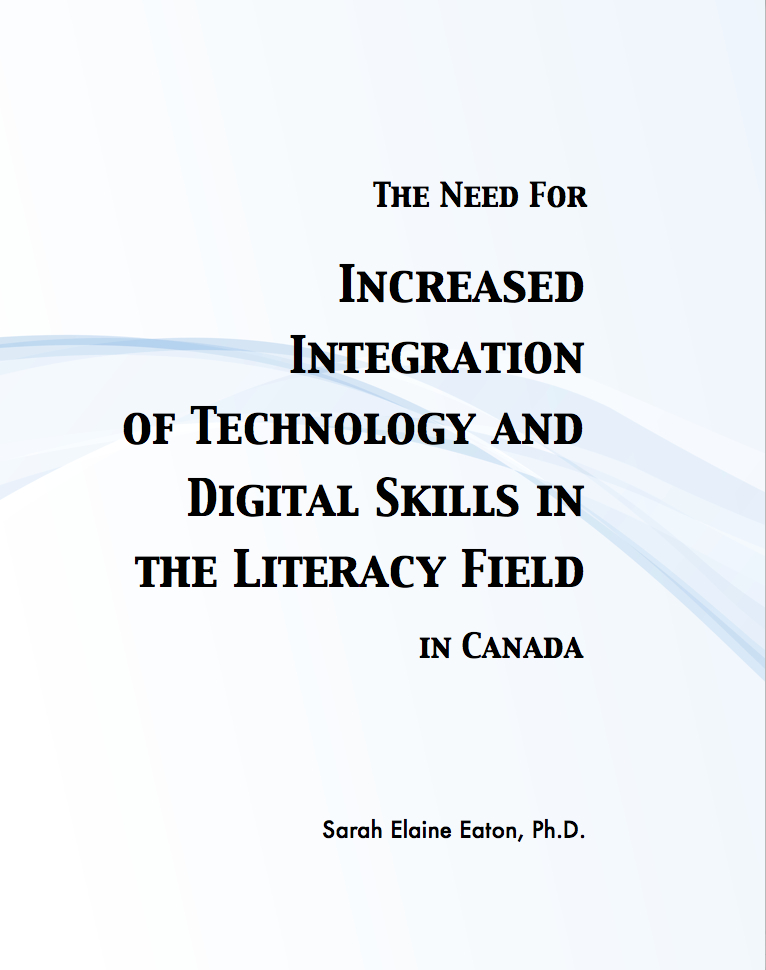
The Need For Increased Integration of Technology and Digital Skills in the Literacy Field in Canada

December 2, 2011

Need for Increased Tech in Literacy by Sarah Elaine Eaton, Calgary, CanadaIt’s here! The Need For Increased Integration of Technology and Digital Skills in the Literacy Field in Canada has just been released.

Technology does not need to be adopted because it is fashionable, but because the face of learning worldwide has changed dramatically over the past several decades at all levels, from early childhood education to workforce training. When literacy professionals integrate technology in meaningful ways, they ultimately help learners prepare for long-term success.

This report highlights the changing landscape of Canadian education and training (though the findings may relate to other regions, too). It offers recommendations for literacy organizations, managers, coordinators, staff, volunteer tutors and other practitioners to incorporate technology into professional practice in an easily accessible manner that focuses on building professional competencies.

Topics covered include:

  • The changing nature of education and training.
  • The current state of literacy instruction.
  • Emerging models of technology integration in the literacy field.
  • The need for continuing professional development.
  • Recommendations.

Bibliography contains 36 references. Get your copy here: http://www.onatepress.com/titles/the-need-for-technology-in-literacy/

This publication is also available through the ERIC database: http://www.eric.ed.gov/PDFS/ED526087.pdf

______________

Like this post? Share or Tweet it: The Need For Increased Integration of Technology and Digital Skills in the Literacy Field in Canada  http://wp.me/pNAh3-12r

Update – January 2018 – This blog has had over 1.8 million views thanks to readers like you. If you enjoyed this post, please “like” it or share it on social media. Thanks!

Sarah Elaine Eaton is a faculty member in the Werklund School of Education, University of Calgary, Canada.


How to market your language or literacy program: Build trust over time

October 30, 2011

If you send prospective students a brochure or answer an e-mail, they are not very likely to register in your program. Here’s why…

Marketers tell us that we need to see an advertisement or hear a message at least seven times before we are likely to buy a product. Sales professionals say that it can take anywhere between five and 27 “touches” or contact with a prospective buyer before they are convinced to make a purchase from you.

What does that mean for language programs and literacy organizations? It means that we can not simply send out a brochure to a student and reasonable expect that suddenly he or she will want to register in our program.

The “drip theory” recommends regular, repeated contact – at least six or seven times – with a prospect to ensure that your name sticks in her mind. This does not mean sending out six or seven copies of the same brochure! There is a difference between “dripping” and “bombarding” or worse yet, “stalking”.

Each “touch” needs to be different — and still relevant. For example, connecting via e-mail, followed by sending a brochure, followed a week later by an invitation to register, followed by a couple of monthly newsletters.

The timing of each contact is also important. Bombarding someone in seven different ways in a very short period of time is more likely to turn them off than to convince them that they want to join your program. There is no one perfect formula for how often you should connect with your prospects… Once a week or a few times a week seems to be an accepted norm in the educational and non-profit sectors. There seems to be a lower tolerance for repeated contact in a short period of time with prospects in the social sectors than there is in the business sectors.

In my PhD research, I found that it can take anywhere from two to five years to get a new language program off the ground. That is the “sales cycle” for English as an Additional Language (ESL / EFL / EAL / ESOL) programs. It can also take up to two years to convert a prospective student into a current student.

In Guerrilla Marketing for NonProfits, authors Jay Conrad Levinson, Frank Adkins and Chris Forbes talk about how non-profit organizations often give up too soon. They expect to see results NOW. If they do not get an immediate response (which is highly unlikely) they give up. In fact, they say that most non-profits give up on new programs just before they hit the point of success.

If you get an e-mail address for the prospect and you can send monthly updates about what is going on in your program, you will be using yet another medium to show your prospects that you have not forgotten about them.

Ideally, you want to combine different types of contact: social media, mail, e-mail, phone calls and personal contact. This is not always easy in an international marketplace, but do try for repeated contact in a variety of ways.

If you don’t get any response after several tries, then you can change the prospect from active to inactive in your database. In any case, you are more likely to get more registrants by using the drip effect than by sending an initial brochure and nothing else.

Here are seven ways to help you market your language or literacy program consistently

1) List all of the methods you use to connect with your prospective learners (phone, e-mail, drop-in, brochures, etc.).

2) Set up a spreadsheet with each method of contact across the top.

3) Every time a prospect contacts you, ask for his or her contact information.

4) Note the date that you made contact under the appropriate column.

5) Make an effort to stay in touch with the prospective learner, at least once a week, using a different method each time.

6) If a prospective student shows a preference for a particular type of communication, use that one more often. For example, if a prospective student does not respond to e-mails, but calls or Skypes, then make a note of it. At least once, take the initiative to connect with the prospect in the way that they prefer. It’s about them, after all.

7) Track how many prospective students actually end up enrolling in your program and how long it takes. You may be surprised to find that it take  longer than you think it will, or longer than you would like it to. This does not mean that should try to accelerate that cycle. That can often backfire and turn prospects off. It is useful, however, to show you how long prospective learners may take to make a decision.

It’s not about trying to force them to make a decision faster. It is about cultivating trust and building a relationship with them so that when they are ready to make a decision, they choose your program because they feel that they know you and that you care about them. When the time comes for them to make their decision, trust will often be the factor that sways people one way or another. If you haven’t built the trust with them over time, they may never register. That takes time. In the long run, it is worth it.

___________________

This post is adapted from “Idea #17: Be a Drip ” in 101 Ways to Market Your Language Program

________________

Share or Tweet this post: How to market your language or literacy program: Build trust over time http://wp.me/pNAh3-wx

Update – January 2018 – This blog has had over 1.8 million views thanks to readers like you. If you enjoyed this post, please “like” it or share it on social media. Thanks!

Sarah Elaine Eaton is a faculty member in the Werklund School of Education, University of Calgary, Canada.


How to Use Webinars for Literacy: PD, Programming and Promotion

October 28, 2011

A huge thank you to our participants and speakers today who participated in the online discussion on how to use webinars for professional development, programming and promotion in the literacy field.

Our speakers

Allison Mullin is the manager of communications and marketing at the Ontario Literacy Coalition (OLC), after previously working in the communications departments of Mount Sinai Hospital in Toronto and the City of Calgary. As part of it’s strategy to provide professional development opportunities for those working in the literacy field in Ontario, the OLC has been hosting a webinar series for the past year on a wide variety of topics.

 Courtney Hare is a Financial Literacy Facilitator for the non-profit organization in Calgary called Momentum. She is a certified Training Practitioner and holds an MA in Education from the University of Calgary where she got her start moderating and facilitating E-learning and online presentations. She is now looking for ways to further engage learners who may have barriers to accessing face-to-face workshops or learners who prefer to engage online. She is in the process of establishing the first E-learning module for a Momentum’s program called “StartSmart.”

Laura Godfrey is the Manager of Learning Links Resource Centre in Calgary, where she manages the development and operations of the centre. A graduate of the Southern Alberta Institute of Tecnology’s Library and Information Technology program, LearningLinks is the fifth library she has had a hand in setting up and running.

Each of the speakers is at a different point along the “continuum of development” for webinars. Allison heads up a successful webinar series that regularly has sessions filled over capacity. Courtney is beginning to prepare webinars for her organization. Laura is just starting to ask questions about webinars for literacy.

Laura provided a number of questions to guide today’s discussion:

  1. We’re a non-profit. How do we cover the costs of doing a webinar?
  2. Do we have to buy special software?
  3. How do we pick a topic to cover in a webinar?
  4. How long does it need to be?
  5. Can we record it and how can we make it available to others later?
  6. How tech savvy do you need to be in order to do this?
  7. Do you need to hire a speaker or can anyone do the speakers job?
  8. Who else is doing webinars in the literacy and adult education field?
  9. Why should we do this?
  10. Are there chances to collaborate with other groups?

Check out the webinar recording

In addition to our pre-arranged speakers, kudos also go to Dr. Jenny Horsman and Dr. Peggy Albers, both of whom shared insights from their own experiences about doing webinars in the literacy field.

Resources that were shared by participants today

Global Conversations in Literacy Research – A webinar series presented by Dr. Peggy Albers and hosted at Georgia State University

Camtasia – a video-capture software

RGK Foundation – Learning grants (USA only)

MacArthur Foundation Granting agency (USA only)

Techsoup – Technology resources for non-profits

Ontario Literacy Coalition Spotlight on Learning – OLC’s archived webinars

Learning and Violence – This site contains resources and archived webinars

Center for Interactive Learning and Collaboration (CILC) – Clearing house of e-learning, video conferencing and webinars for K-12, educator PD and community education

Stock Exchange – Free stock photography site (requires registration)

Nancy Duarte – Best practices and resources for slide presentations

Twitter handles of some of today’s participants

@englishwob

@ontarioliteracy

@LLRCLibrary

@LandVdotnet

I enjoyed the resources and information that everyone shared today. It was an open group who was willing to give ideas and share what they knew.

For me, this was one of the most technically challenging webinars I’ve done in a while. For some reason, I couldn’t hear participants while my own mic was turned on, which meant that I ended up “talking over” people without even knowing that they were trying to speak. My apologies for the rudeness! I can assure it that it was not at all intentional.

I am so grateful to everyone for their participation today. YOU made it worthwhile!

___________

Share this post: How to Use Webinars for Literacy: PD, Programming and Promotion http://wp.me/pNAh3-Z6

Update – January 2018 – This blog has had over 1.8 million views thanks to readers like you. If you enjoyed this post, please “like” it or share it on social media. Thanks!

Sarah Elaine Eaton is a faculty member in the Werklund School of Education, University of Calgary, Canada.